Configure Domino REST API to use Domino 14.5 as OIDC provider
About this task
This guide walks you through configuring HCL Domino 14.5 as an OIDC provider and setting up the Domino REST API to trust it on a single Domino server.
Before you begin
- Ensure that Domino 14.5 is installed.
- Ensure that Domino REST API v1.1.4 or later is installed.
Procedure
Note
Make sure Internet site documents are enabled in the server document.
-
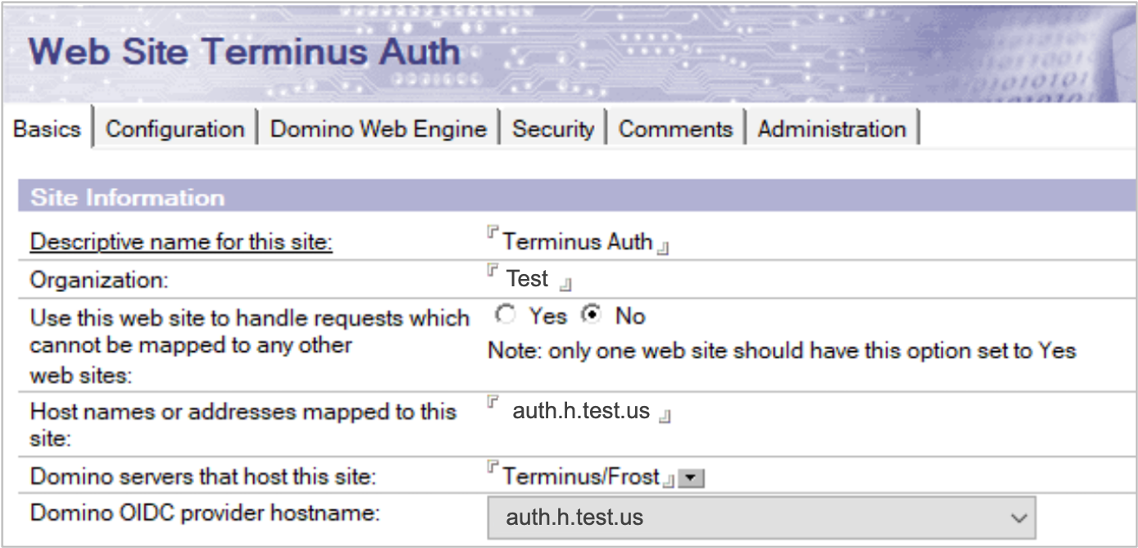
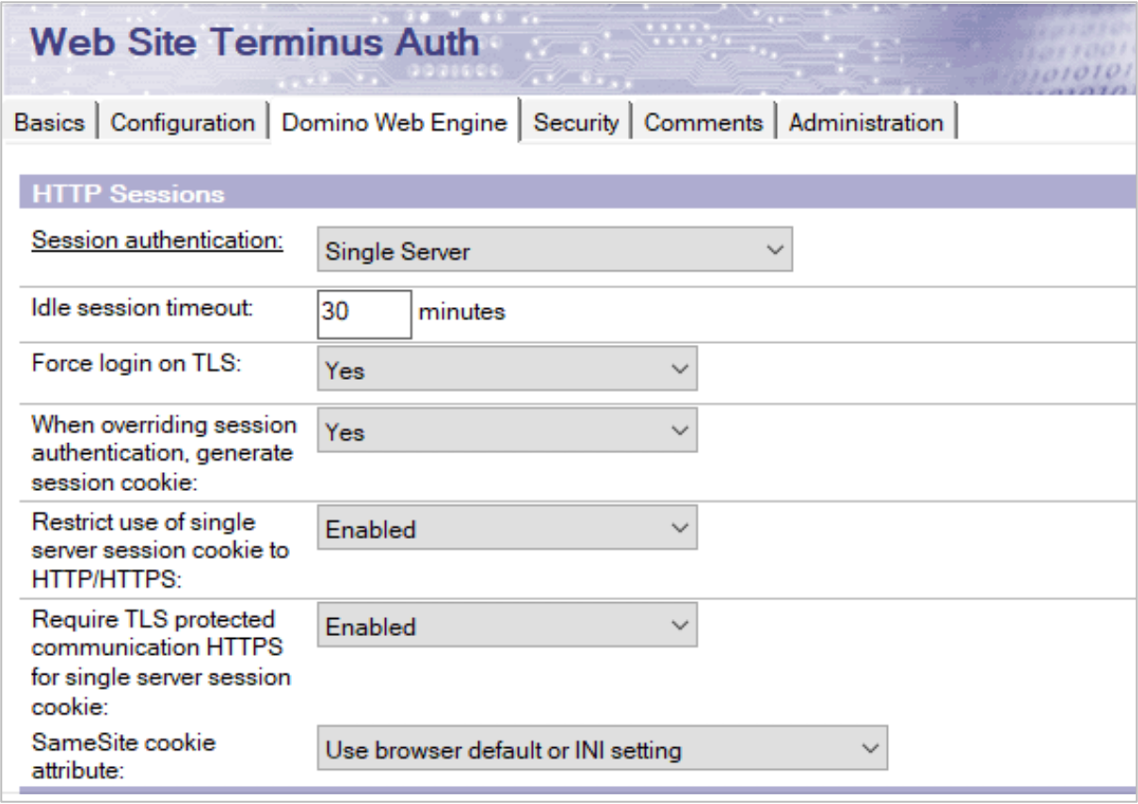
Create two Internet site documents in the Domino Directory (
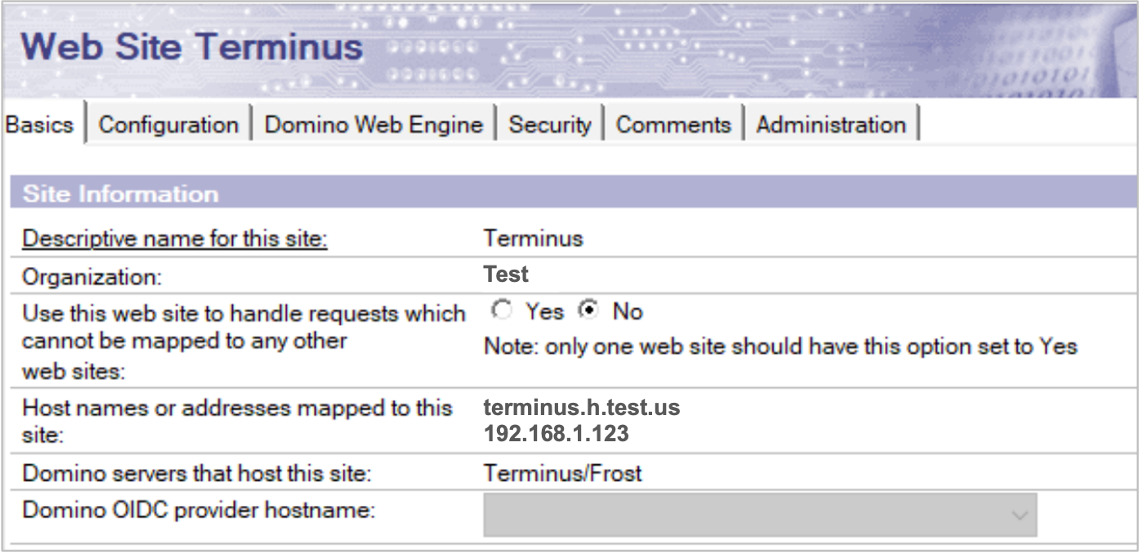
names.nsf), one for the OIDC provider and another one as a placeholder website to trust it.Domino requires at least one Internet site document mapped to the server to be configured for it to trust. The Internet site document for the OIDC provider cannot serve this role, so you need a second one.
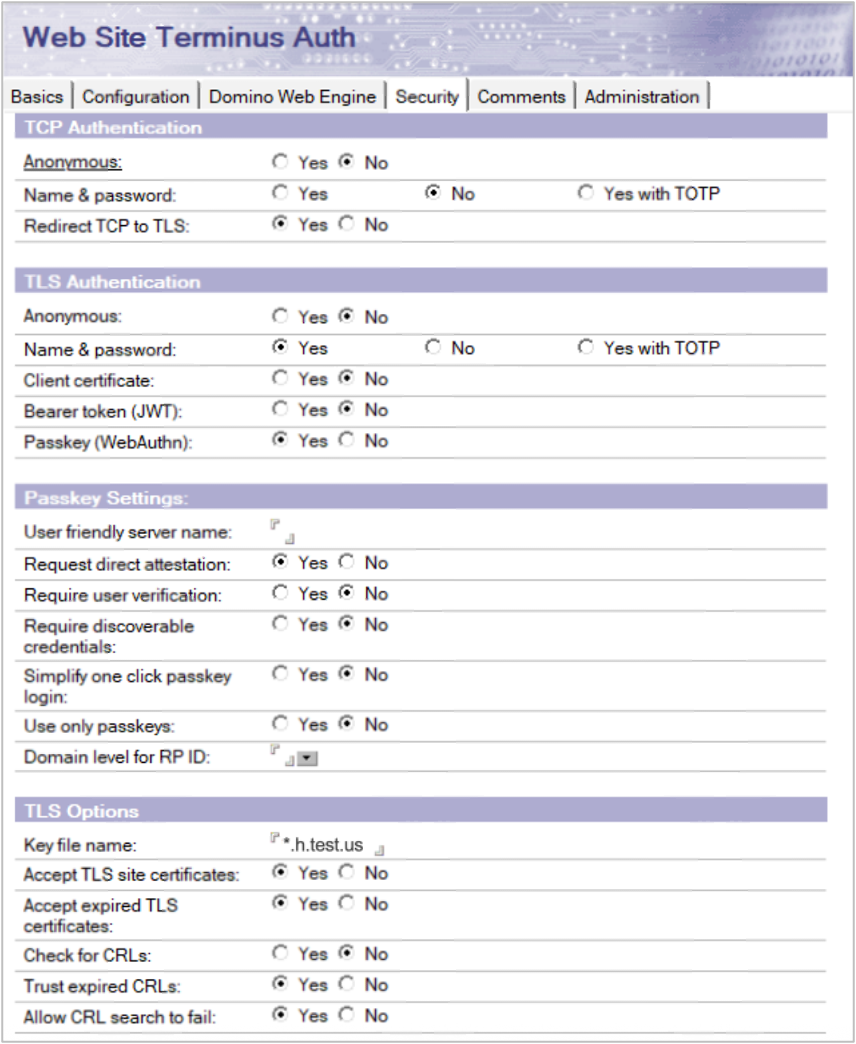
The configured host names in the Internet site documents must point to the same server and also have usable TLS certificates in
certstore.nsf.For details on creating Internet site documents, see Preparing the OIDC provider's Internet Site document
 topic in the Domino documentation.
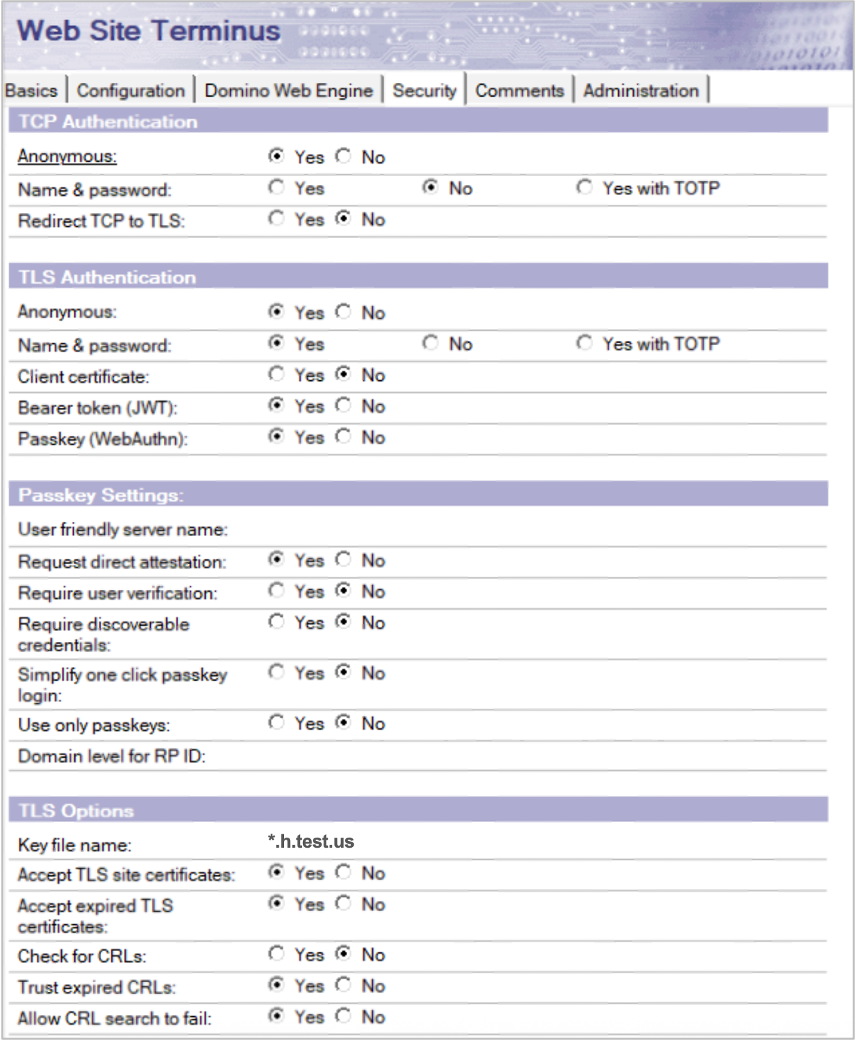
Expand the sections and use the following images as references when creating the Internet site documents.
Example: Internet site document for OIDC Provider
Example: Internet site document for placeholder client site
-
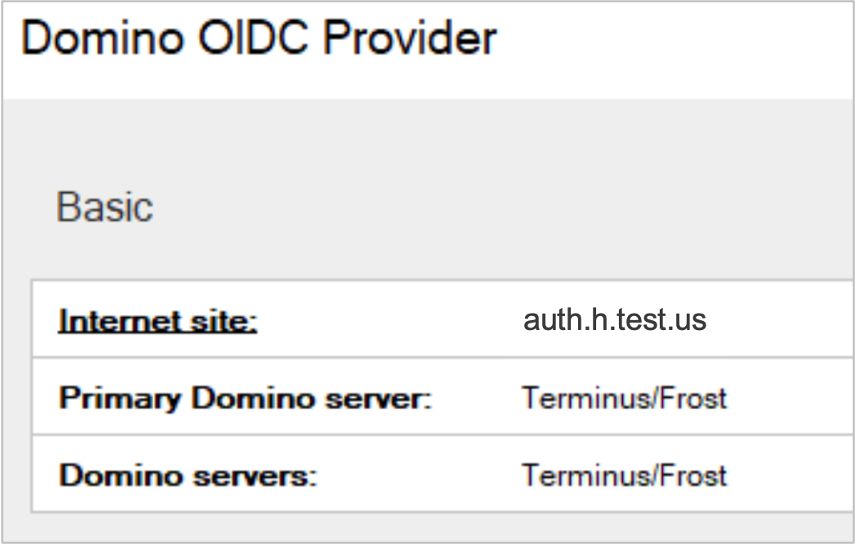
Create a Domino OIDC provider.
Refer to the procedure for creating a Domino OIDC provider
in the Domino documentation for specific details.You can use the following example image as reference when creating the Domino OIDC provider.
-
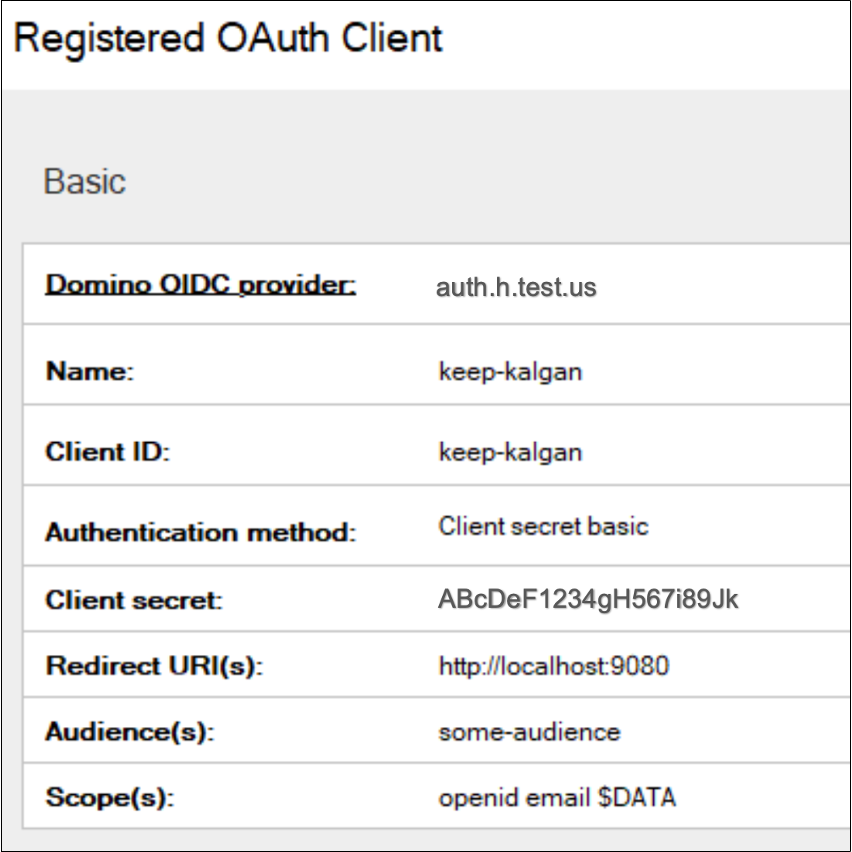
Register an OAuth client.
Refer to the procedure for registering a new OAuth client
in the Domino documentation for specific details.You can use the following example image as reference when registering an OAuth client.
Tip
- For Audience(s), you can set the value to any value as long as you use the same value later when configuring Domino REST API as shown in the example configuration below.
- For Scope(s),
$DATAis useful for the Domino REST API as it allows you to access everything you have access rights to. You can also narrow it down to give per-app access. - For Redirect URI(s), you can set them to your actual login flow destination.
-
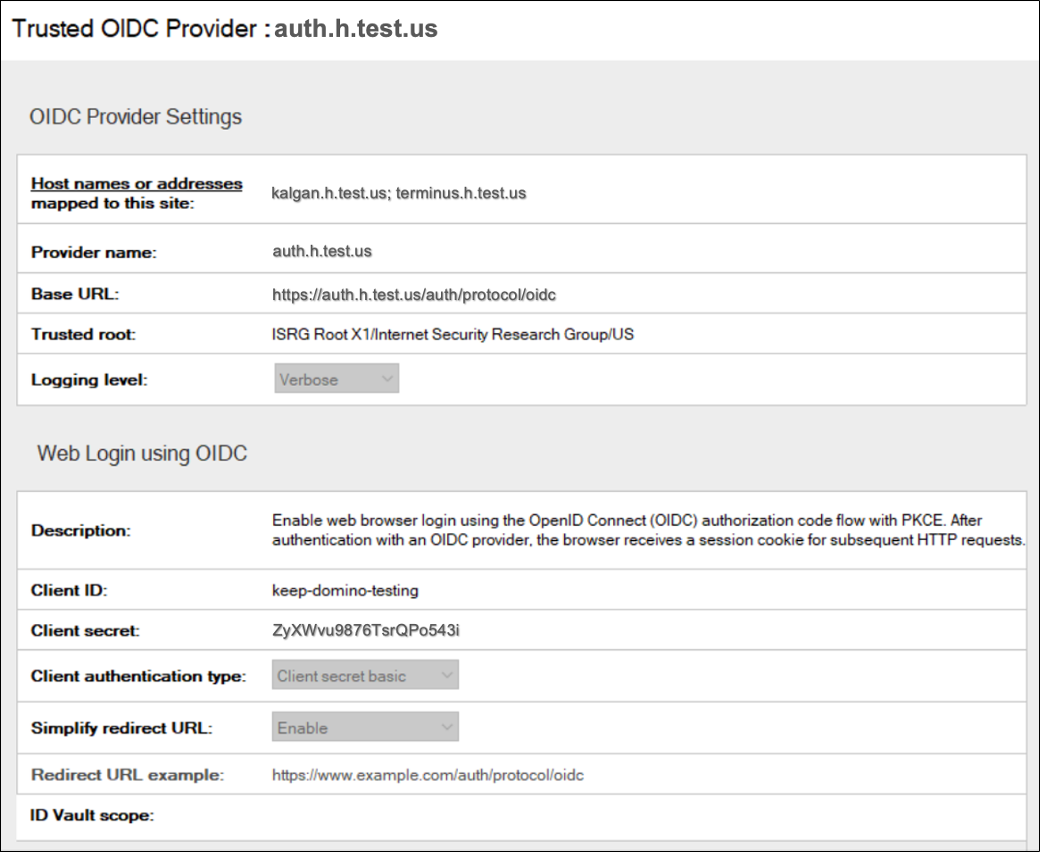
Configure a trusted OIDC provider.
Refer to the procedure for configuring trusted OIDC providers
in the Domino documentation for specific details.You can use the following example image as reference when configuring the trusted OIDC provider.
-
Configure Domino REST API to use the configured trusted OIDC provider.
- Create a JSON file using a text editor.
-
Copy the JSON object to the JSON file and set the values. Refer to the table for details.
{
    "oidc-idpcat": {
        "domino-oidc-idpcat": {
            "active": true,
            "providerUrl": "https://auth.h.test.us/auth/protocol/oidc",
            "scope": "$DATA",
            "aud": "some-audience"
        }
    }
}
Items Description activeOptional - Can be useful for setting to falseto temporarily disable something without deleting the config entirely.providerUrlThe base URL that includes the name of the OIDC Domino server.
Example:https://auth.h.test.us/auth/protocol/oidc
The provided example is based on the details in the example configuration shown in the example images.scopeA scope that is expected to be included in the token from the OIDC provider. For example, $DATA,email, etc.audA string or array of strings of audiences expected to be included in the token. Make sure to use the same value as set in the registered OAuth Client. -
Save the JSON file in the
keepconfig.ddirectory.Tip
Use a filename for the JSON file that reveals its purpose. To learn more on how JSON files in
keepconfig.dare processed, see Configuration management and overlay hierarchy.
-
Restart Domino and Domino REST API.
Additional information
After completing the configuration, you can obtain a token from the Domino OIDC provider and use it to access Domino REST API endpoints. You can use the /api/v1/userinfo endpoint as a test endpoint since it does not require additional setup and has the benefit of showing you log in details.
You can add DEBUG_OIDCLogin=1 to notes.ini for basic logging that includes token validation details.