Use Management console for encryption operations
The Management console (UI) provides convenient functions for encryption and certificate-related tasks.
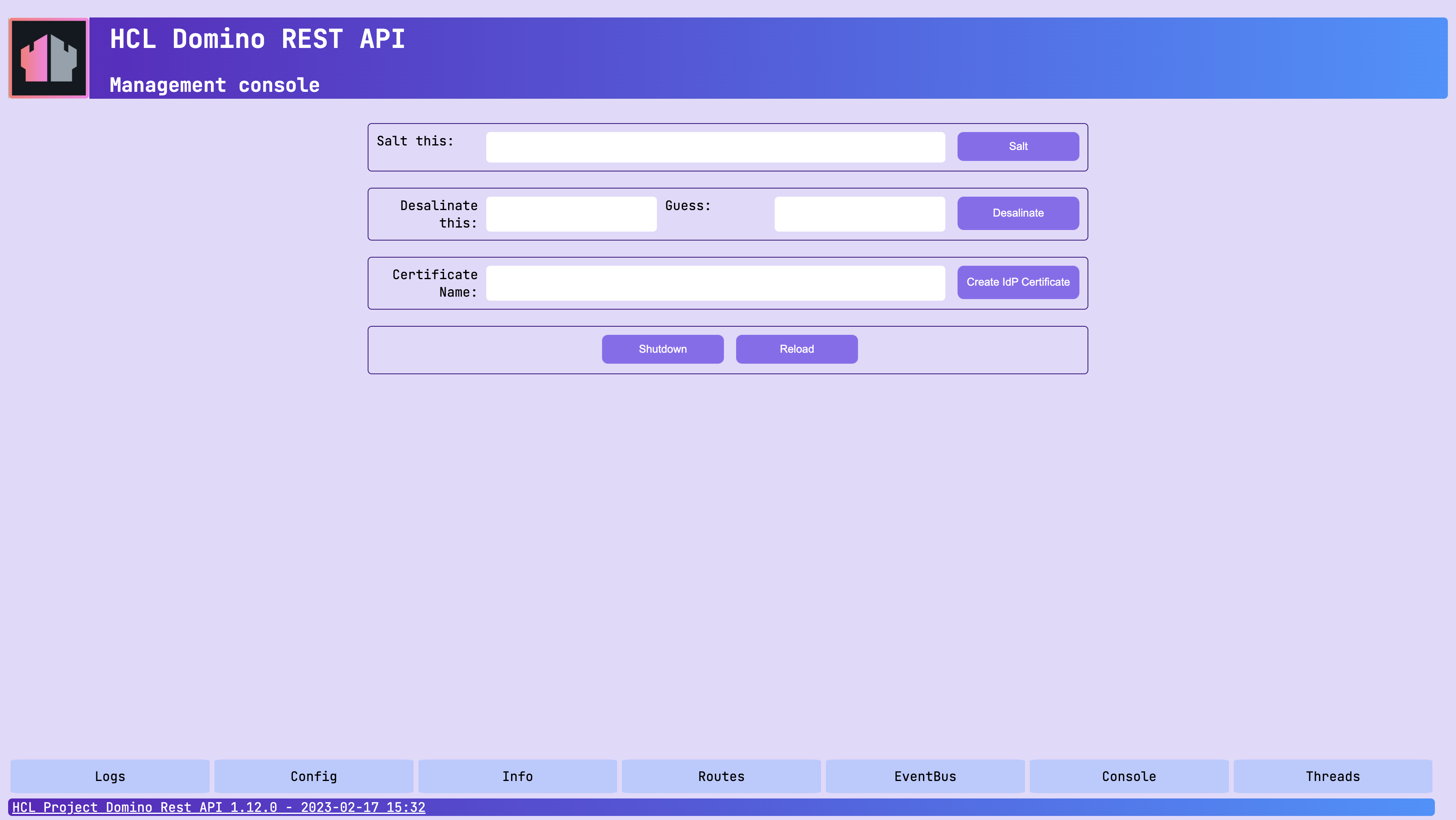
About this task
This guide walks you through using the Management console to perform these encryption operations:
- Hashing a salted password
- Generating keys and certificates for SAML and JWT authentication
Before you begin
You must have access to the Management console.
Note
- Make sure the Management console is secure. For more information, see Functional Accounts.
- Credentials for the Management console aren't managed by the configured IdP, but are derived from the configuration of functional accounts.
Procedures
Hash a salted password
- Login into the Management console (Port 8889).
- Enter a password in the Salt this text field and click Salt.
The salted and hashed version of the entered password will be shown, and you can copy and use it in a configuration JSON file.
Generate keys and certificates for SAML and JWT
Domino REST API uses X509 certificates and a public/private key pair for SAML interaction with the Domino R12 ID Vault. The Management Console offers a convenient way to generate those and the needed configuration entries.
Note
You need access to the Domino server's file system to collect the keys/cert.
- Login into the Management console (Port 8889).
-
Enter a certificate name in the Certificate Name text field.
Tip
Use only
0-9,a-z,A-z,-,_. No spaces or special characters. -
Select the Algorithm, either RSA or Elliptic Curve.
- Click Create IdP Certificate.
The following events happen:
-
The
X509certificate, the public/private key pair, and the configuration file are created in thekeepconfig.ddirectory.You can distribute them to all Domino REST API servers to achieve single login and decryption capabilities.
-
The IdP list, accessible by clicking the IdPs button on the Management console page, is updated.
As an example, when you enter AcmeKeepTest in the Certificate Name field, you get the following configuration file:
{
  "JwtUsePubPrivKey": true,
  "JwtUsePemFile": true,
  "JwtIssuer": "CN=ServerName/O=OrgName/F=AcmeKeepTest",
  "JwtPrivateKeyFile": "keepconfig.d/AcmeKeepTest.private.key.pem",
  "JwtPublicKeyFile": "keepconfig.d/AcmeKeepTest.public.key.pem",
  "JwtCertFile": "keepconfig.d/AcmeKeepTest.cert.pem",
  "JwtAlgorithm": "RSA"
}