Enable CalDAV, CardDAV, and DXL extension APIs
About this task
This task guides you on how to enable the CalDAV, CardDAV, and DXL extension APIs to extend Domino REST API support for calendar and contact synchronization, as well as Domino XML data exchange.
Important
-
The CalDAV, CardDAV, and DXL Extension APIs are experimental and are provided for users to try and evaluate. They are not yet supported for production use.
For any feedback, questions, or issues, you may post them in the OpenNTF Discord channel
 .
. -
The task is only applicable starting from Domino REST API v1.1.8 release.
Before your begin
Before enabling and working with the extension APIs, it is important to get familiar with the following terms:
| Term | Description |
|---|---|
| CardDav | An open Internet protocol that allows you to sync and manage your address book and contacts. The CardDAV extension APIs are only tested and supported on Mozilla Thunderbird. |
| CalDav | An open Internet protocol that allows you to access, manage, and synchronize calendar data. The CalDav extension APIs are only tested and supported on Mozilla Thunderbird. |
| DXL | Domino XML (DXL) is a set of APIs for retrieving and manipulating a database's design. |
Important
The CalDAV, CardDAV, and DXL extension APIs are experimental and not officially supported. The CalDAV and CardDAV extension APIs have been tested only with the Mozilla Thunderbird mail client, and we will only provide some level of support for issues limited to Mozilla Thunderbird client integrations. Kindly reach us on the OpenNTF Discord channel .
Procedure
- Create a JSON file using a text editor.
-
Add the JSON object containing configuration settings for the CalDAV, CardDAV, and DXL extension APIs.
{
    "versions" : {
        "caldav" : {
            "active" : true
        },
        "carddav" : {
            "active" : true
        },
        "dxl" : {
            "active" : true
        }
    }
}
The configuration setting will enable the CalDAV, CardDAV, and DXL extension APIs. If you want to enable only a specific one, change the value of the
activeproperty tofalse. In the following example configuration setting, only CalDAV and CardDAV extensions APIs are enabled.{ "versions" : { "caldav" : { "active" : true }, "carddav" : { "active" : true }, "dxl" : { "active" : false } } } -
Save the JSON file in the
keepconfig.ddirectory.Tip
Use a filename for the JSON file that reveals its purpose. To learn more on how JSON files in
keepconfig.dare processed, see Configuration management and overlay hierarchy. -
Restart Domino REST API on all servers.
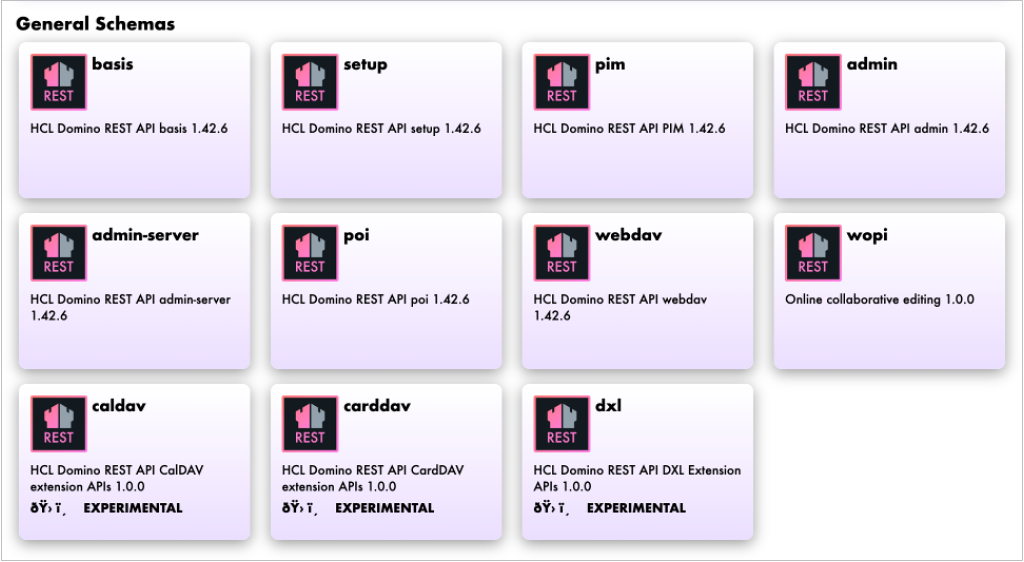
After restarting Domino REST API, you will now be able to see the CalDAV, CardDAV, and DXL extension APIs tiles under General Schemas.